PRIVACY FIRST
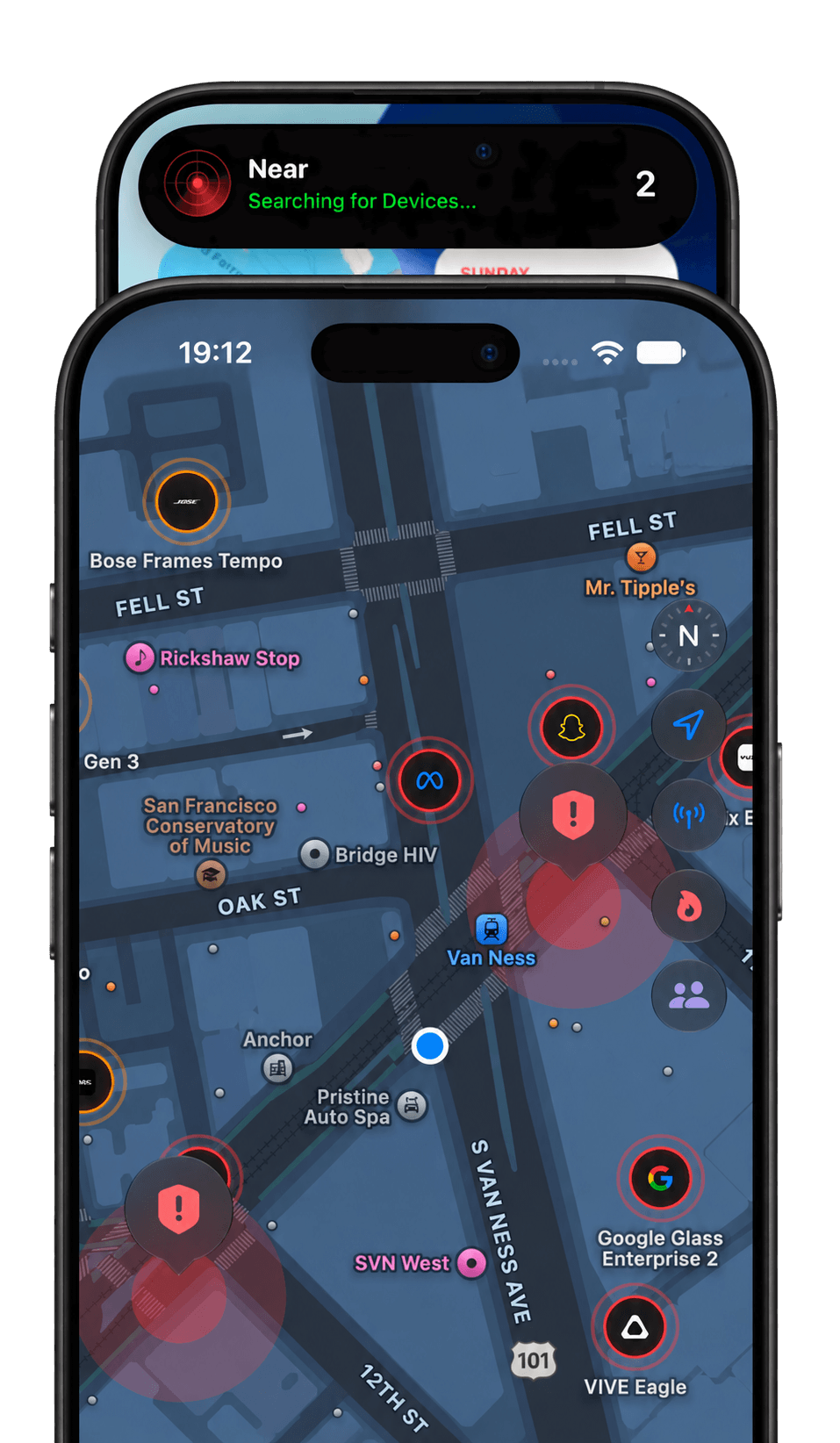
Near Glasses
Spot possible smart glasses nearby. Stay aware with Near.Spot possible smart glasses nearby with Bluetooth scanning and local alerts.
SMART GLASSES BRANDS
 Meta
Meta Snap
Snap Vuzix
Vuzix Google
 Bose
Bose XREAL
XREAL Rokid
Rokid RayNeo
 Solos
SolosMatches depend on the Bluetooth signals a device broadcasts. Not every model can be detected.
Advanced Radar & Detection
RADAR DASHBOARD
Review past detections, signal strength, and estimated distance.A sleek interface listing historical detections with threat levels, signal strength (RSSI), and estimated distance.
CUSTOMIZABLE ALERTS
Choose channels, signal thresholds, and an alert cooldown. Matches and detection range remain estimates.Set a signal-strength threshold, choose device channels, and enable a cooldown to reduce repeat alerts. These controls help you manage notifications; they cannot eliminate false matches or guarantee a physical detection range.
Frequently Asked Questions
Are there false positives?
Yes. Bluetooth names and manufacturer data can overlap between products or change with firmware. Near can mistake a device for smart glasses or miss glasses that do not advertise a recognizable signature. Trusted devices, channel filters, a personal Safe Zone, and cooldown settings help manage alerts.
How much does it cost?
Check the App Store listing for the current download price and availability in your region.
Can Near tell whether someone is recording?
No. Near identifies possible smart glasses from Bluetooth advertisements. A detection does not confirm camera use, recording, device ownership, or someone's intent.
How accurate are the map and distance estimates?
Distance is estimated from Bluetooth signal strength, which varies with surroundings and device orientation. Map markers use observation locations from your phone when available. They do not show a verified position or direction of the glasses.
If it's not open source, how can I trust it?
Bluetooth detection, personal history, and diagnostic logs stay on your device unless you choose to export them. Near does not automatically upload diagnostic logs or use third-party analytics. Optional community shares send zone coordinates and summary data after your confirmation; Apple Maps also uses Apple services for maps and routes. See our Privacy Policy for details.
AVAILABLE ON IOS
Get Near
Stay aware of possible smart glasses nearby. Download Near for iPhone on the App Store.
Download on the App Store